
Rejecting or accepting matches tells the Platform, basically, to ignore certain data, and affects how it presents it. Therefore, you need to be aware that these actions may have the following implications, among other things.
A. In the RAG Results tab, the “hits” about the rejected match will not be shown nor calculated.
In the previous tab discussed, the RAG Results tab, some “Rules” may have the number of “Match Hits” written next to them, as seen below.
Pressing the “dropdown” icon in the relevant rule’s tab will expand it, revealing the relevant “matches”.
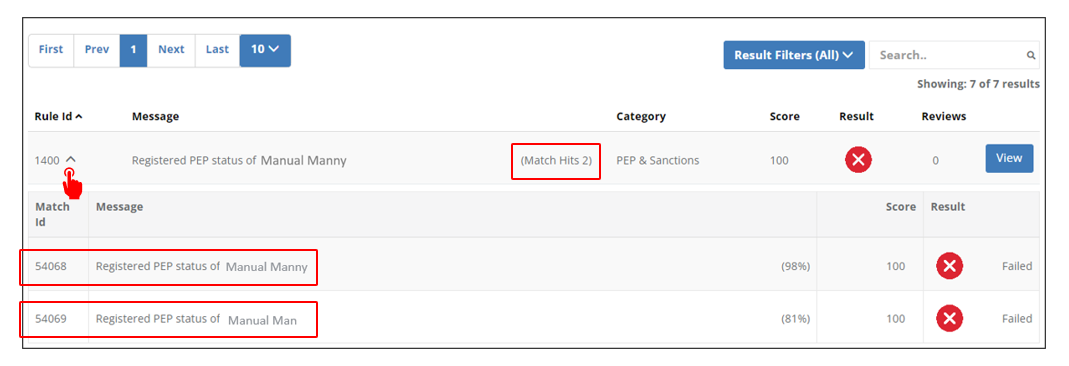
If you reject a certain match, the relevant “hits” to that match, will no longer be shown in the RAG Results (as you have determined, basically, it is NOT a “match”). Accordingly, of course, the RAG calculation will not take those “hits” into consideration (effectively re-calculating the RAG on the basis only of “hits” you have determined valid).
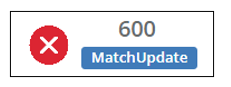
B. “Match Update” indication in the RAG Results
If you reject or accept a certain match, the below indication will appear next to the RAG Result.
C. The tag “New” will no longer appear next to the person
As we saw above, next to Manual Man’s name in the PEP, Sanctions and Adverse Media tab, a green tag appeared, carrying the text “New”.
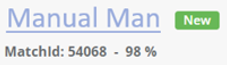
This tag exists next to every match which has yet to be accepted or rejected. Once you accept or reject the match, an “Accepted” or “Rejected” label is of course added, and the “New” tag goes away.
D. Affects on Monitoring
Rejecting a “match” indicates to the Platform the “match” is not the client, and therefore it will be removed from the monitoring scope.