
Continuing our journey across the different tabs in the detailed mCHECK™ report, we arrive at the IDV tab. This tab displays the data related to the identity verification of the person in question.

Here, you will first see the details of the checked person.
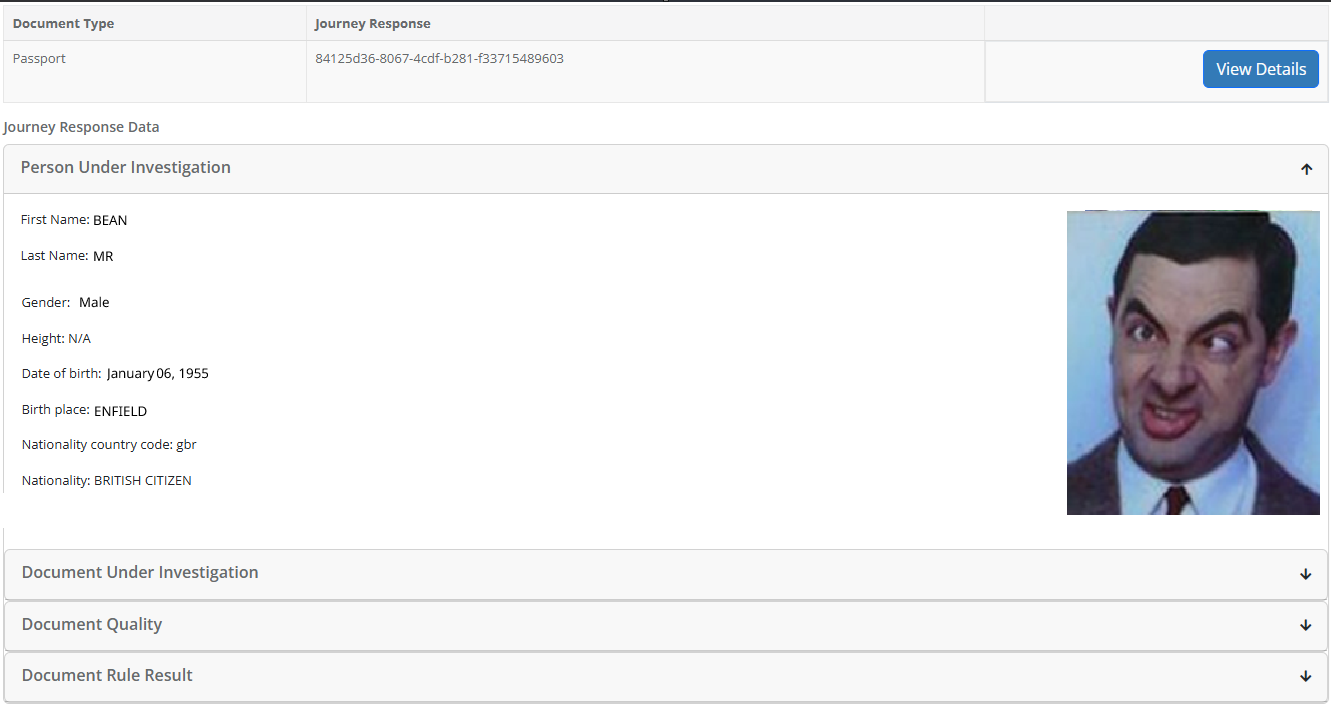
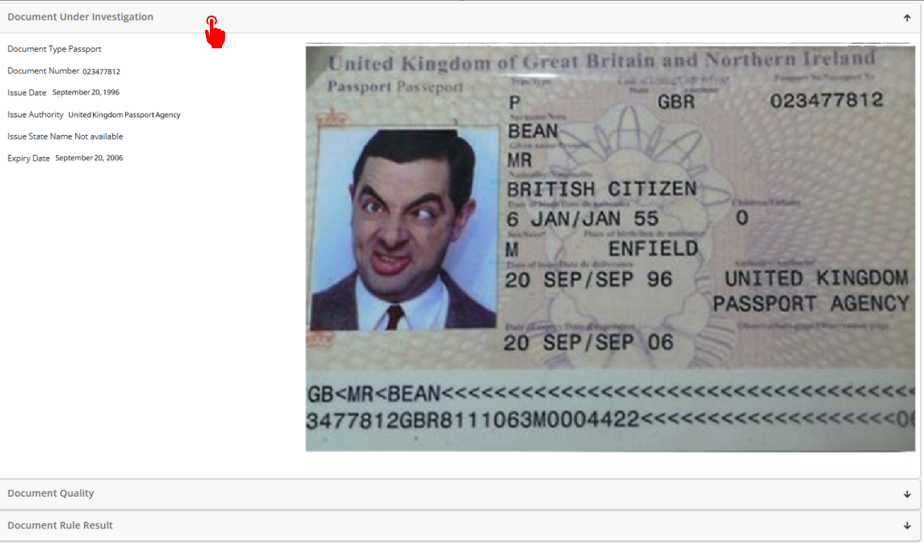
In the accordion tabs below you will see the identity document examined (which will save you the need to download it to your computer, thus not only saving you time but also making sure your client data is stored securely):
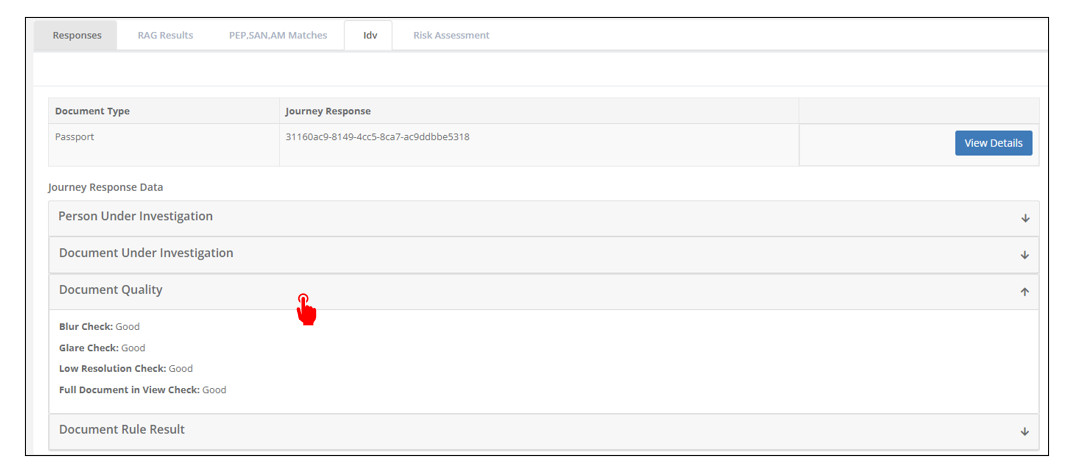
Below it, you will find some data regarding the document quality, as adjudicated by the automated system:
And, at the bottom, you will find the “Document Rule Result” tab, which shows some additional parameters that were checked in regard to the identity document:
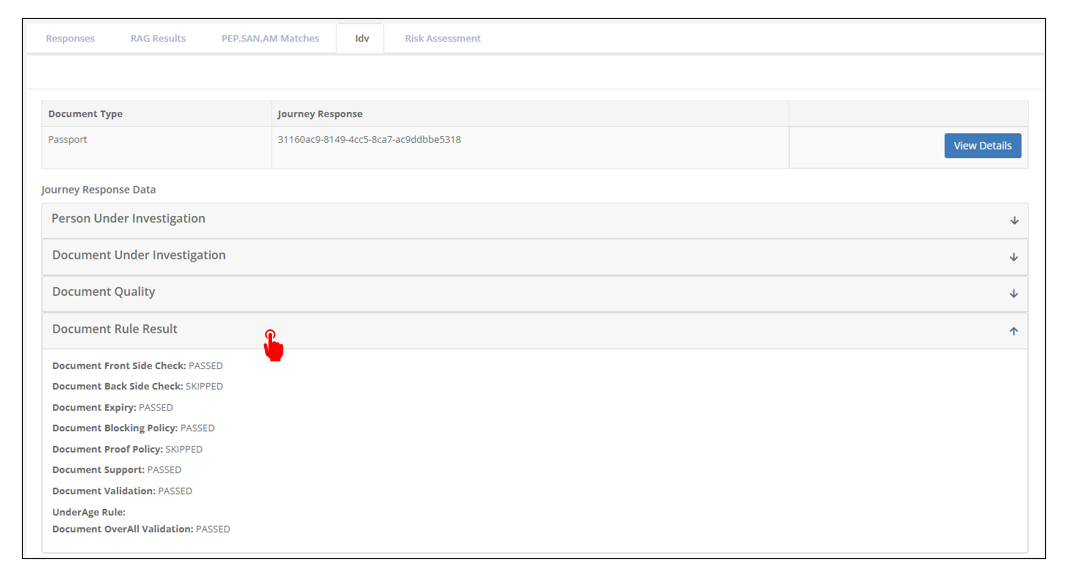
The different rules checked are many, and can also differ from document to document, and change from time to time, and therefore specifying all of them exceeds the scope of this manual, nor is necessary for the day-to-day operation of the Platform. We try, however, to keep their names as self-explanatory as possible. If you require further clarification on any rule, feel free to reach out to your point of contact at Muinmos.