
Your firm’s policies may require certain actions to be made according to the “Four Eyes Principle” (or six eyes, or eight…).
mApproval is a feature that allows you to set just that. In order to get to the relevant screen, perform the following:
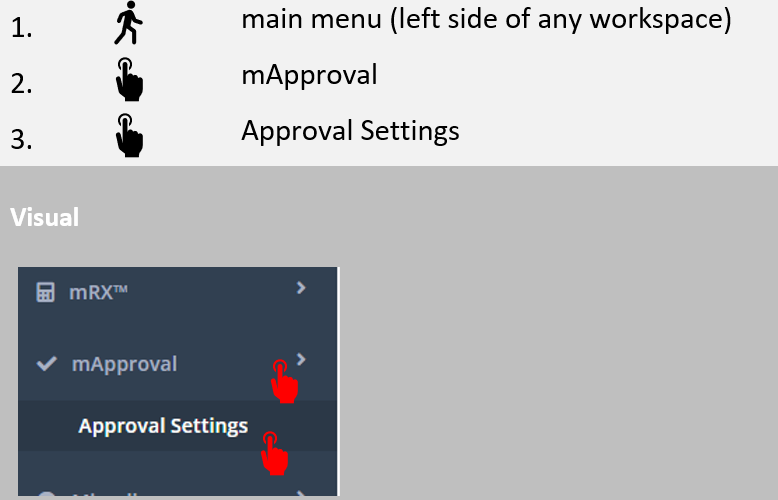
The following screen will appear:
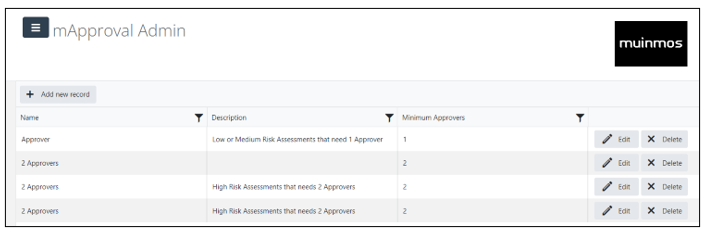
Here you can see the approvals groups you have already created; as can you create new ones by clicking “Add new record”, and filling out the details ( Name, Description and Minimum Approvers) that will appear in the screen that will open.

Now that you have created an approvals group, you and/or others can add themselves to it, as described in Section 2.3.3 of this manual; and use it in order to approve (or reject) an assessment, as described in Section 4.10.4 of this manual.