
Q: Can documents be uploaded to the Platform after the client completes the assessment?
A: Yes.
-
Open the detailed report of the relevant assessment.
-
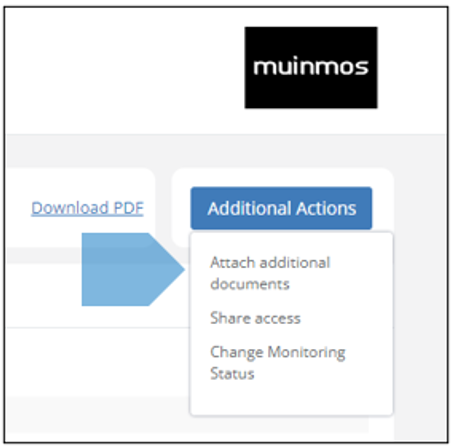
Click on the “Additional Actions” dropdown button.
-
Select “Attach additional documents” from the dropdown menu.
-
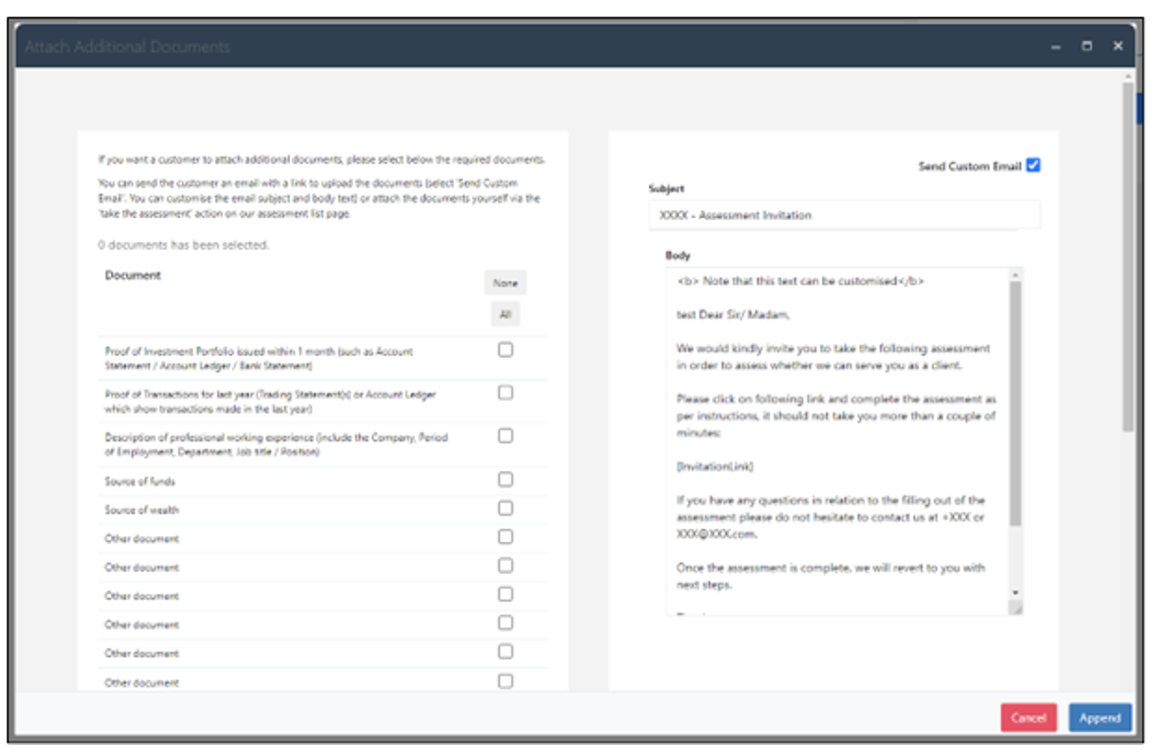
Select the document to be uploaded.
-
Note - if you are uploading the document yourself, uncheck the “Send custom email” checkbox in the upper right side of the screen, so your customer will not be bothered with an email requesting them to attach the document.
-
If you want the customer to upload the document, leave the checkbox checked. The customer will receive an email asking them to upload the document, and of course also containing a link to do so.
For more on the topic see Section 4.9 (as well as Section 3.4, in the table near the letter “F”).