
Q: The links in the mCHECK™ section of the assessment don’t lead to a website or lead to a blank website. What do I do?
These are actually two questions. Let’s break them into two, and answer them.
Q1: Links in the mCHECK™ section of the assessment don’t lead to a website. Why is that?
A1: In the mCHECK™ section of the assessment, there are various tabs, such as “Adverse Media” or “Regulatory Enforcement”.
In these tabs, if relevant information was found, a number will appear, as per below, in the “Articles” column.

This number is not a link - it’s the number of the relevant article (the link to the article itself is found in the “Articles” tab). It’s blue because pressing it opens the “Articles” tab.
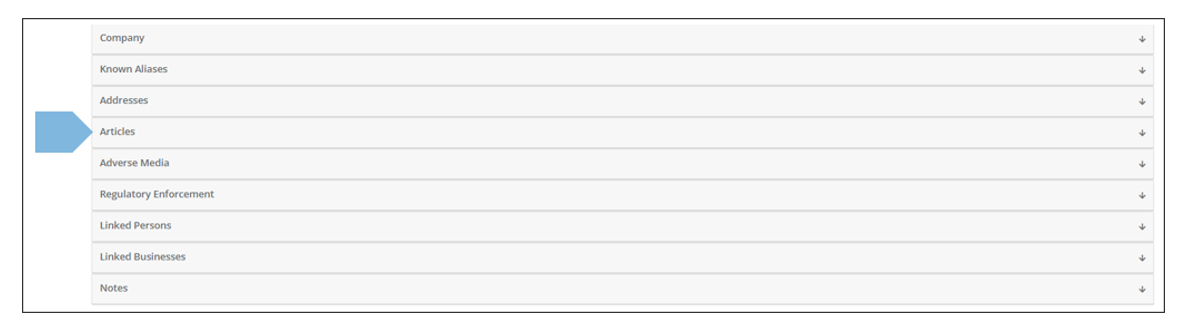
After opening the “Articles” tab, you will see an article with the same number.
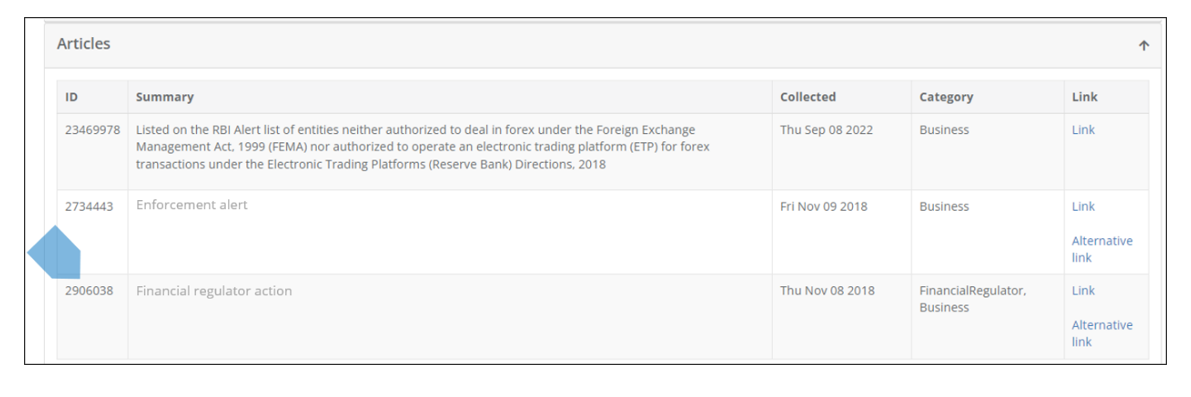
Press on “Link” to access the article.
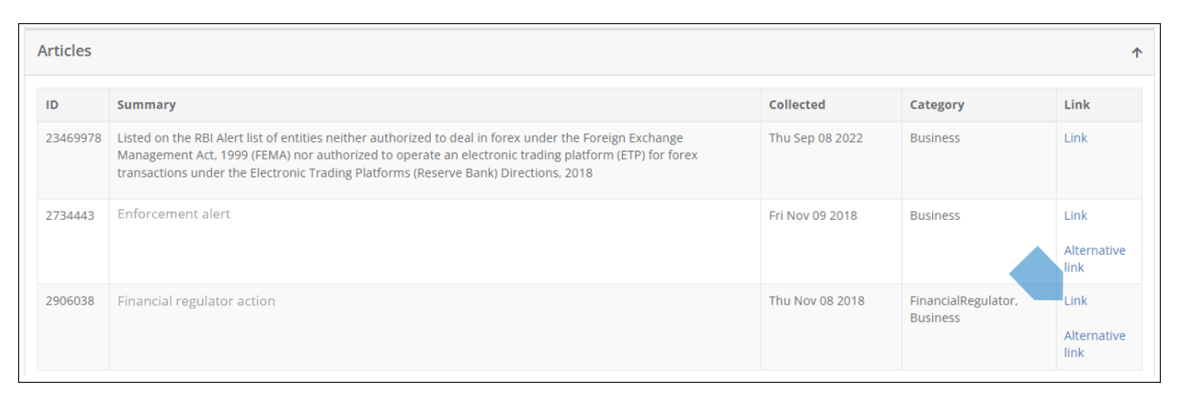
Q2: What to do if the link leads to a blank website?
A2: It sometimes happens in the data-collection process that some links expire, are replaced by others etc.
This is why sometimes you will find a link leading to a “blank” website. In order to make sure this doesn’t prevent access to data, “alternative links” were added. So if a link leads to a blank website, press the “Alternative link”.
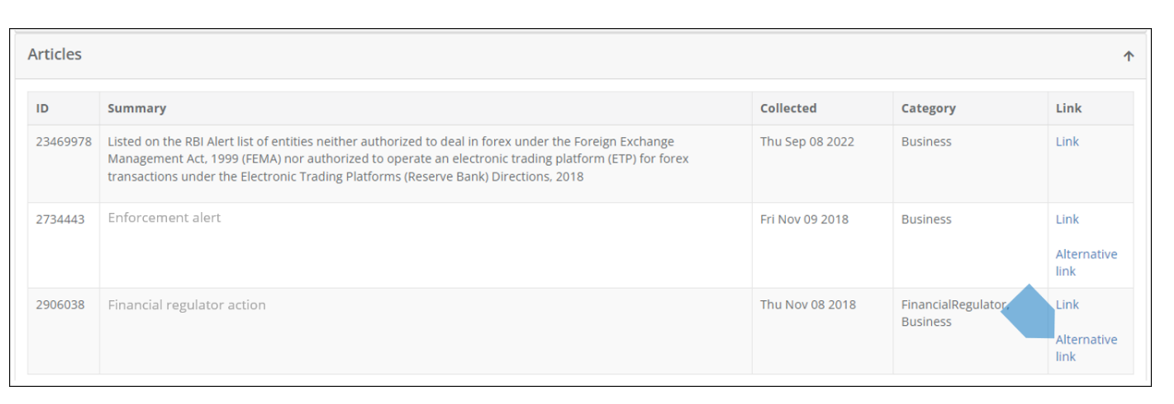
Rarely, the “Alternative link” will also lead to a blank website. This would happen, for example due to copyright issues or data retention period expiration.