In the previous sections we saw how to start monitoring POI, POR or other documents. But what does it mean to monitor these documents?
It means the Platform will notify you:
-
X months before the expiration date of a POI document (like a passport or a driver's license);
-
X months after the uploading of a POR / other document.
In this section we will see how to set this “X”, meaning, when will you receive the alerts.
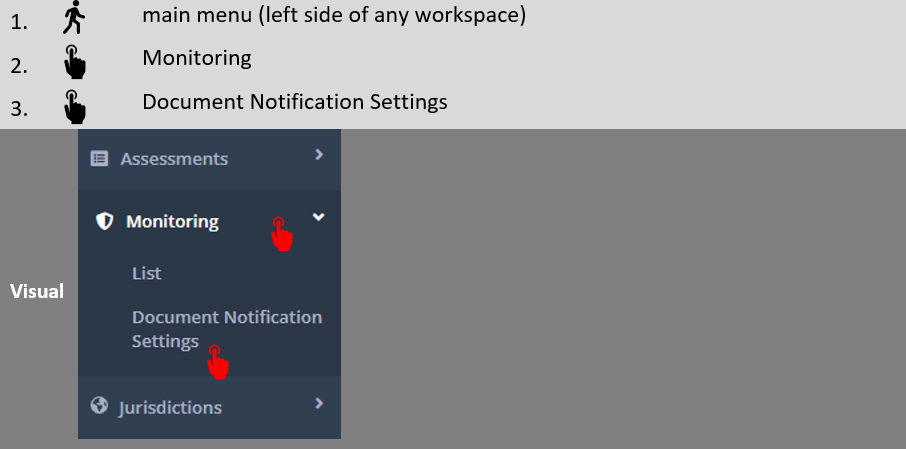
Here’s how to get to the relevant screen:
A screen similar to the below will show.
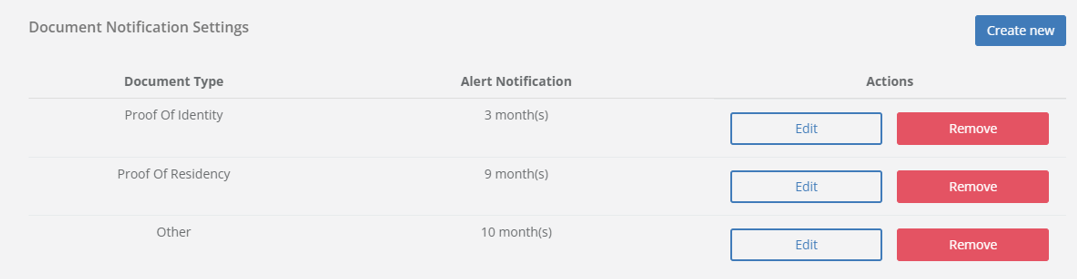
If you have existing settings, you can choose to either edit or remove them.
Upon pressing “Edit”, a tab as per the below will open. Note, that in the below tab you can:
-
shorten or prolong the alert period;
-
choose if the new setting will apply only to future assessments, or also to current assessments (meaning, will it apply to monitoring activated after the setting of the rule, or also to those activated before).

After making your selections, press “Update”.
Upon pressing “Remove”, a tab as per the below will open. Note, that in the below tab you can:
-
choose if the new setting will apply only on assessment whose monitoring is activated after the updating of the setting, or also on current monitored assessments.
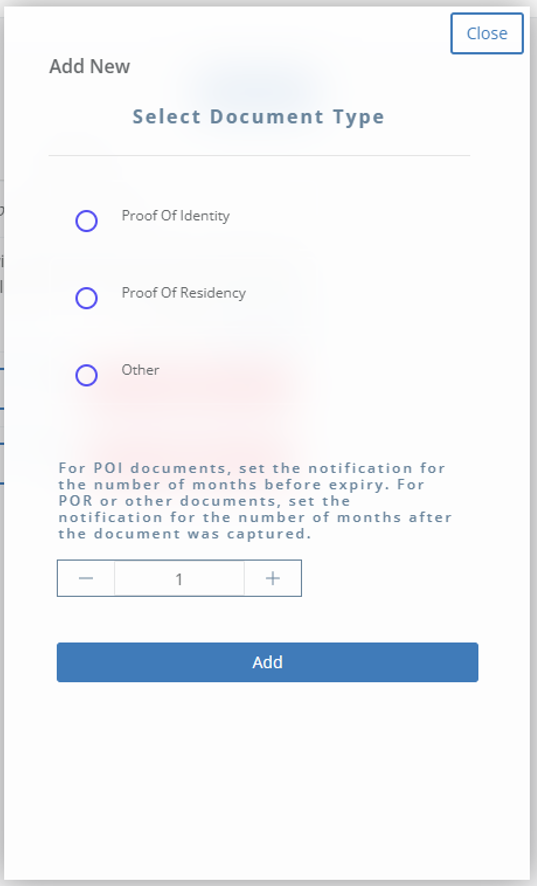
Upon pressing “Create New”, a screen as per the below will open. Note, that in this screen you can:
-
select what type of document the new alert will apply to;
-
select the period of alert (in months).
After that, press “Add”.