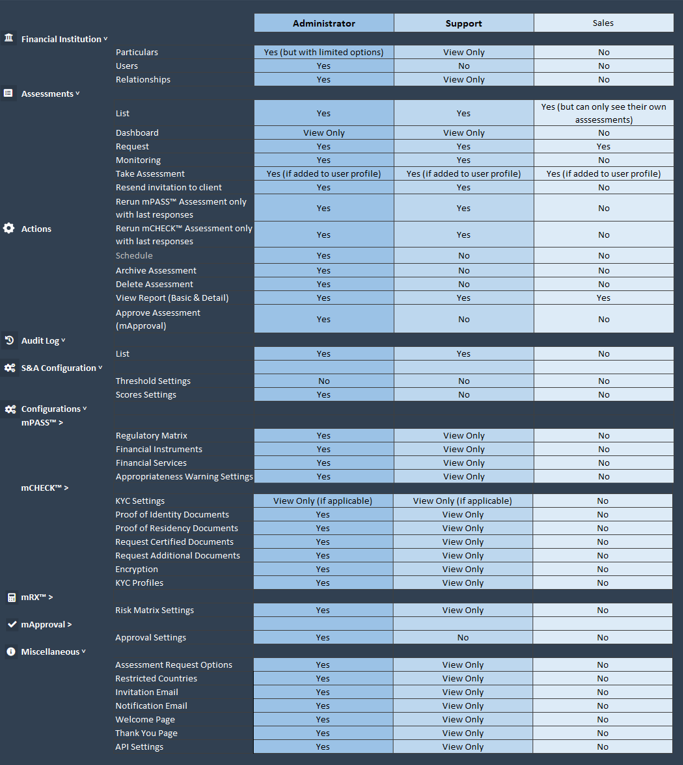
The Platform caters for 3 different user profiles –
-
Sales
-
Support
-
Administrator
A Sales User can:
-
Request assessments.
-
View compliance reports from own assessments.
A Support User can, for example:
-
Request assessments.
-
View compliance reports from own assessments.
-
View configuration parameters of the institution.
An Administrator can, for example:
-
Request assessments.
-
View compliance reports from assessments created by any user.
-
Set up configuration parameters of the institution.
-
Create new users and delete existing users.
-
Modify assessment invitation emails.
See the below table for a more detailed breakdown of user role permissions: