
This functionality is relevant only to API clients (meaning, organisations that are connected to the Platform via API).
How to get to the relevant screen:
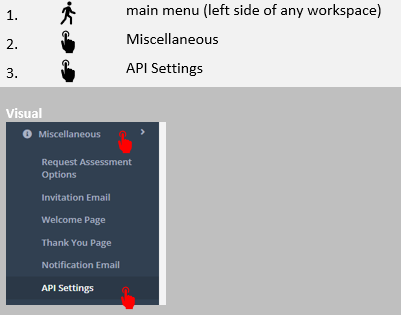
A screen similar to the screen below will open:
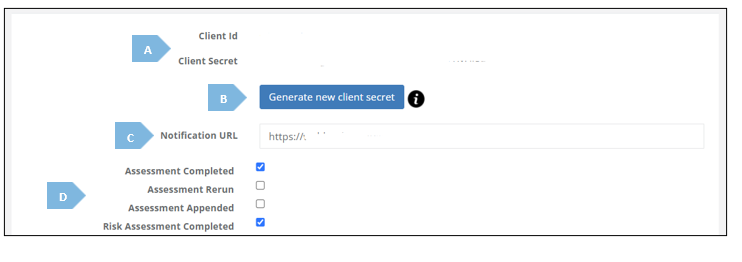
Let’s break-down the important elements in the screen:
|
|
Element |
Explanation |
|
A |
Client ID, Client Secret |
Denotes parameters relevant to the actual API connection |
|
B |
Generate new client secret |
Allows you to change the “Client Secret” in case of need, such as security purposes (the initial secret is created by the Platform itself) |
|
C |
Notification URL |
Callback URL which your organisation provided for receiving API calls / events from the Platform |
|
D |
Different Events |
Tick the boxes next to the events you want to be notified about via API call |