
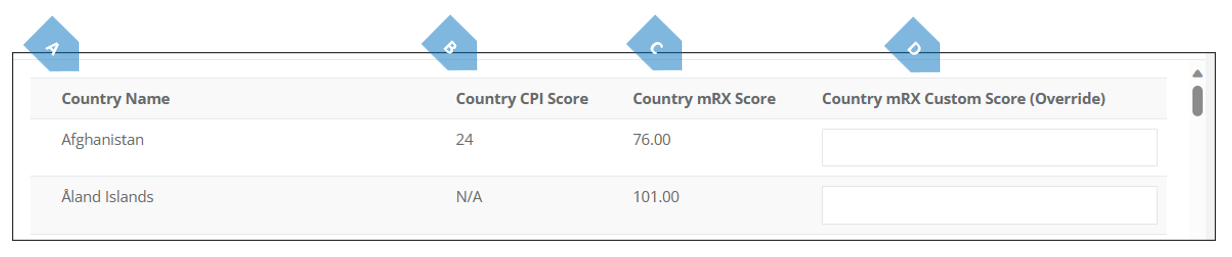
There may be situations where one would want to override the default score. This may happen for example if the firm is located in a specific country or has very close acquaintance with that countries attributes, or in light of a certain finding or determination by FATF impacting that firm’s perception of the jurisdiction. In order to override the countries mRX™ score, simply insert it's into the Country mRX™ Custom Score (Override) column, scroll down to the bottom of the screen and press save.
The saved score will now display in the respective field, and will serve as your Platform’s new mRX™ score for that country until changed by you again.
|
|
Element |
Explanation |
|
A |
Country Name |
Denotes the name of the country / jurisdiction. |
|
B |
Country CPI Score |
Shows the CPI score of a certain country. For more on that see explanation above. |
|
C |
Country mRX™ Score |
Denotes the score the country has in you mRX™ risk matrix. For more on that see explanation above. |
|
D |
Country mRX™ Custom Score (Override) |
This column contains the option to override the default mRX™ score, as explained above. |