
9.1. The Risk Matrix
After performing the following, the following screen will open:
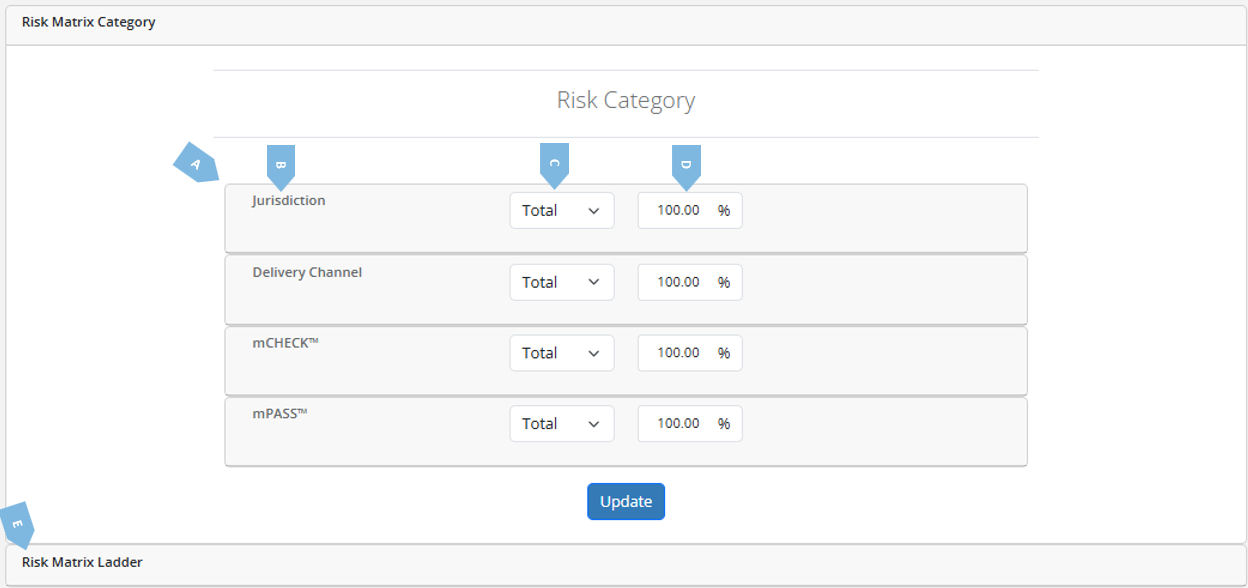
Here is a breakdown of the various elements in the screen:
| Element | Explanation |
A | Risk Matrix Category | The table which contains the categories of risk which the mRX™ modules factors into one risk score. |
B | The Risk Parameter | Denotes the parameter taken into consideration in calculating the risk matrix. |
C | The Type of Score | When a certain parameter has several factors affecting it (for example, how risky is the financial instrument the client wishes to trade with you, and the client wishes to trade 4 types of instruments with you), you can choose whether you want the mRX™ risk matrix to be determined by the total of those scores, their average, or the minimum or maximum relevant score. |
D | Parameter Weight | Denotes the % of the score, after the application of the aggregation rule, which will be taken into account for the overall risk scoring. |
E | Risk Matrix Ladder | Opening this tab will open the following screen: 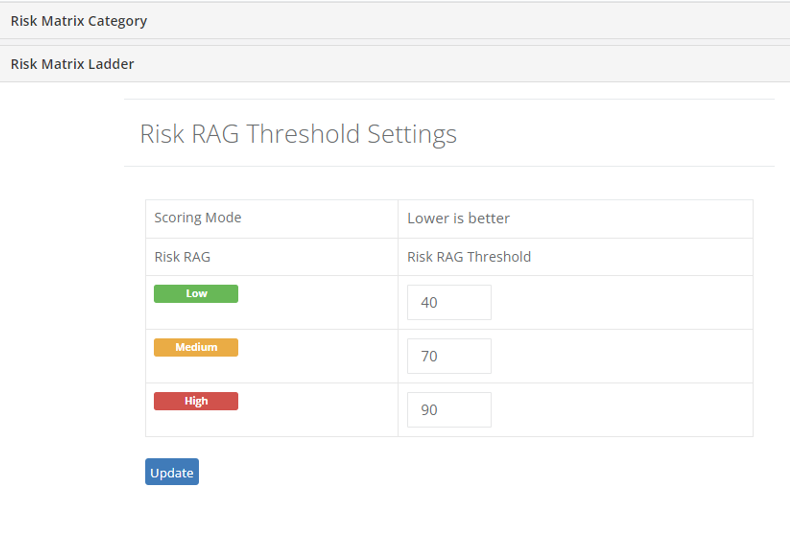 Here you can configure what will count as low risk (Green), medium risk (Amber) or high risk (Red). |